
CROSS-PLATFORM CREATOR ANALYTICS
Review supported accounts in one Windows workspace
Review your supported social accounts in one Windows workspace. Start with YouTube; Instagram and TikTok need your own developer app, X shows status only.
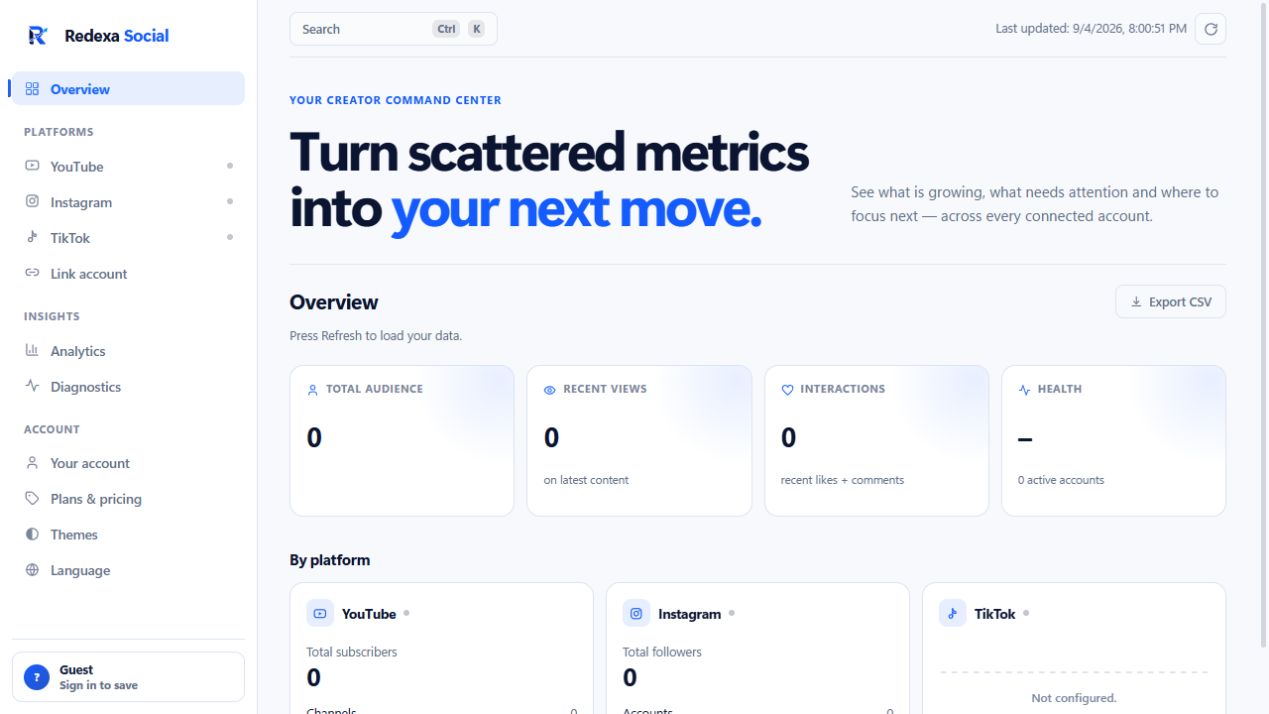
What is actually supported today
YouTube works out of the box and is where to start. Instagram and TikTok connect only with your own developer app, because both platforms require a client secret that cannot be shipped inside a downloadable executable and cannot be shared between users. X shows whether your credentials are valid and nothing else - there are no X analytics in the product. Writing that here rather than after the download is the point of this page.
One consistent view
Connected accounts are brought into a single overview - total audience, recent views, interactions and per-platform performance - while each network keeps the context of its own metrics. Nothing is averaged across platforms in a way that hides which number came from where.
Diagnostics with a next step
Stalled accounts, expired authorization and unusual drops are flagged with a concrete action rather than a vague warning. On a portfolio of several accounts this is usually the first thing worth reading: a silent broken connection looks exactly like a bad month until something names it.
Built to grow with your portfolio
Free connects one account with the core overview. Pro is €7.99 a month for three accounts, stored history, posting windows, rival comparison and CSV export, usable on up to three machines. Studio is €10.99 a month for ten accounts and up to five machines, for people running several brands. Yearly billing is €49.99 and €69.99, about 47% off. Stripe determines and collects VAT at checkout.
Analytics only, in your own language
This is a reading tool: no publishing, no scheduling, no automation, no promised growth. The interface ships in English, Italian, Spanish, French, German and Japanese, with twelve themes, and exports collected data to CSV on Pro and Studio when you would rather finish the analysis in a spreadsheet.
Keep reading
The YouTube dashboard in detail · Where your data is stored · How to unlink an account and delete its data